Projects Plugin
| GitHub | GitHub - marcusolsson/obsidian-projects: Plain text project planning in Obsidian |
|---|---|
| Docs | |
| Obsidian URL | obsidian://show-plugin?id=obsidian-projects |
| Forum (GitHub) | marcusolsson/obsidian-projects · Discussions · GitHub |
| Roadmap | Roadmap |
Demo
See my notes on this video here.
Use cases
- Running a content publishing calendar:
- Obsidian For Content Creators (ft. Projects Plugin)
- Great for planning/scheduling recurring projects like YouTube videos.
- Editing metadata of many notes at the same time.
- Obsidian allows you to store metadata of notes in properties.
- This plugin makes it easy to edit many properties across many files at the same time and see them side-by-side.
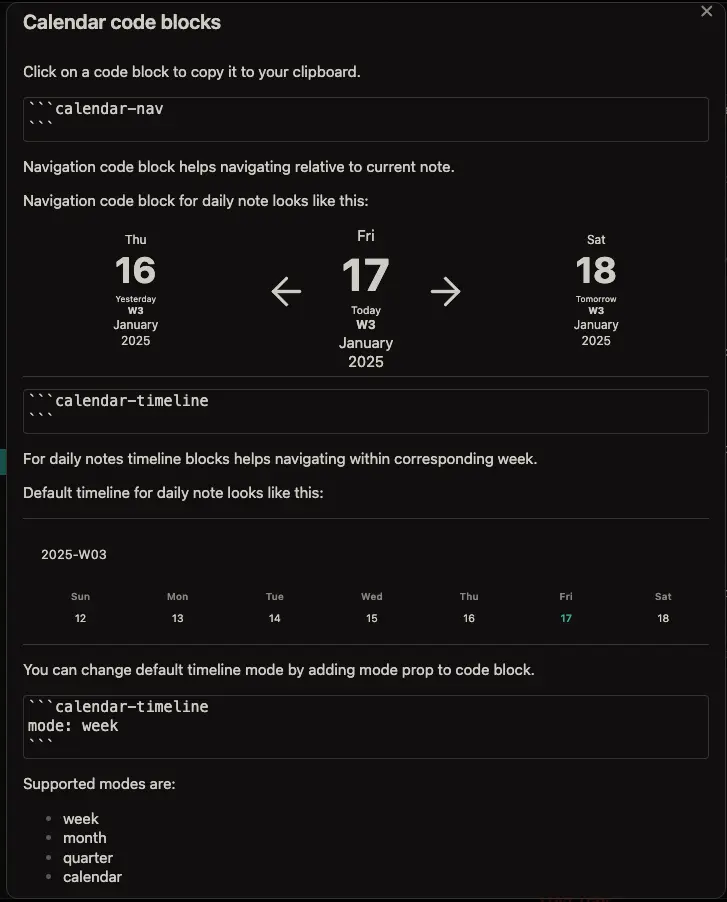
- This plugin pairs very nicely with the Journals Plugin and makes it very easy to navigate between them.
Links
- Active issues: Issues that are actively being worked on.
- Prioritized backlog: Issues we'll be working on next.
- Backlog: Issues anyone can start working on (please let us know before you do).
- Ideas: Promising issues that haven't made it to the backlog yet.
Design Philosophy
When developing any software, you are often faced with difficult choices. To help guide design decisions, this project adheres to the following principles:
- Leave no trace: The plugin must not leave any plugin-specific configuration in the notes, such as custom front matter properties. Notes may be shared with colleagues and teams who don't use Obsidian. If the user stops using this plugin, they shouldn't have to clean up all their notes.
- Keep it native: The plugin should look and feel like it's native to Obsidian. The plugin should also prefer native Web APIs over custom components whenever possible.
- Stability over features: This plugin is geared towards professionals with high demands on reliability. Any bug reports and usability issues will be prioritized over new features.
Tips
How to link to a project:
From: How can I link to Projects from a note? · marcusolsson/obsidian-projects · Discussion #377 · GitHub
Since Projects stores all its configuration in the plugin configuration,data.json, you can't link to a Project from a note using internal links.A workaround is to use the Advanced URI plugin, which lets you create links to commands.
- Install Obsidian Advanced URI from Community plugins.
- In the Command palette, select Advanced URI: copy URI for command.
- Select <Don't specify a file>.
- Select Projects: Show projects.
- In a note, enter
[Show projects](<paste the copied URI>).From 1.13.0, you can also enable commands to show specific projects and views. To enable a command:
- Open Settings.
- Select Projects in the sidebar.
- Under Commands, enable the projects and views you want to create commands for.
The command palette now has an additional Show command for each project and view that you enabled. Note that you can use Advanced URI: copy URI for command to create links for each one.
Templates
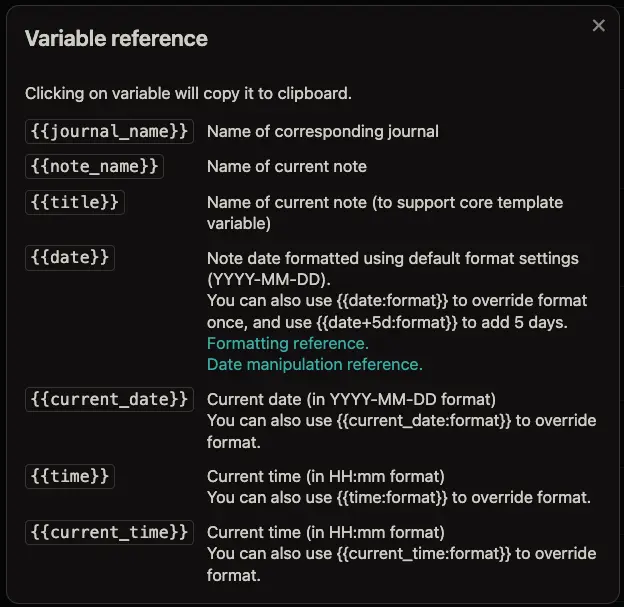
Supported Variables
Embeddable Views